Ground On
Overview
Ground On grounds the selected component occurrence in an Inventor assembly. Grounding prevents the component from moving, which helps stabilize assemblies while you edit adjacent parts and resolve “Sick” constraints/joints.
A common workflow is to ground components on either side of an area you’re modifying so that only the intended parts move. Once modifications are complete and constraints are resolved, unground the components.
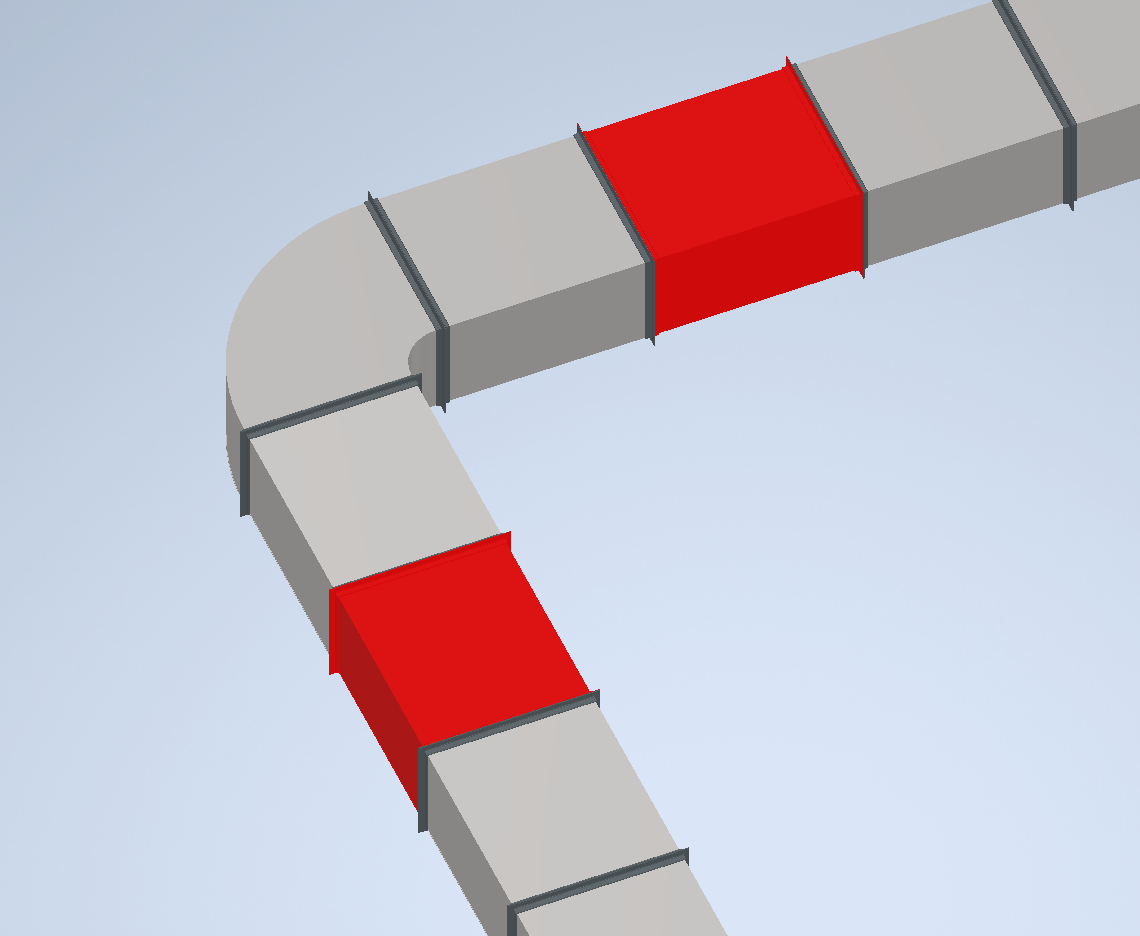
Grounding uses the color set in Ground Color. Coloring grounded components makes it easy to see what is currently grounded and serves as a reminder to unground them when finished.
How It Works
- Select a component occurrence.
- The command grounds the occurrence.
- The component’s appearance is updated to the configured Ground Color.
Usage Instructions
- Open your assembly in Inventor.
- Click Ground On in the Placement panel.
- Select the component to ground.
- Verify the component is grounded and its color is updated.
Tips and Troubleshooting
- Component does not appear colored: Check for conflicts with other appearance overrides.
- Grounding not effective: Verify you grounded the correct occurrence (especially in nested assemblies).
- Forgotten grounded parts: Use the ground color as a visual reminder, or use Ground Off All to reset.
Examples
For example, modifying the throat radius on an elbow can enlarge the elbow and move the ductwork attached to both ends. To keep the assembly stable, ground the fittings just outside the area you plan to modify. This allows you to adjust the necessary parts without affecting the rest of the assembly, and helps you resolve any “Sick” constraints before continuing.
- Ground fittings before modifying an elbow: Prevent movement of adjacent parts while making changes.
- Visually identify grounded components: Use color coding to easily spot grounded parts in the assembly.
- Resolve constraint errors: Ground components to help fix “Sick” constraints during assembly edits.